Lately I’ve noticed a lot of dirty dishes on some of the community lots –Â at Central park and especially the pool:
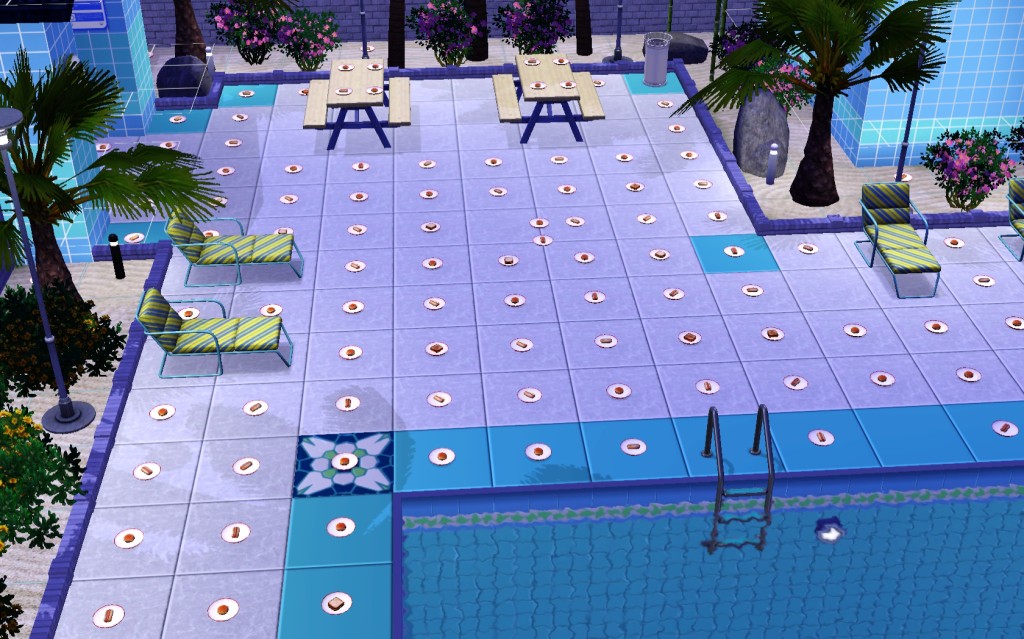
This has to be a bug! I tried searching the internet for why this happens and what to do about it. I found one article here: http://forum.thesims3.com/jforum/posts/list/72278.page which suggests entering build/buy mode in the lot and deleting the dishes or dragging them onto the trash can. But this didn’t seem to work. It also mentions bringing your Neat sims to the lot and have them clean up. I did this, but I still had to manually tell him to clean up each plate. I brought the whole family over and everyone helped. This just about took a whole Sim day to complete. There were some plates on the other side of the stone wall too! So when I went into Build mode on the lot (Edit Town– select the lot — Enter Build mode button), I added another trash can and moved the plates closer so the Sims didn’t have to walk as far.
Someone on the forum believes there is an automatic clean-up process on community lots, but only when it goes inactive for a certain amount of time. And this means none of the sims can enter the lot, and your camera view can’t even view the lot. I don’t think this is really feasible. I’m always zooming out into the full map mode, which shows the pool from far away. My sims may not visit a community lot for several sim days at a time, but it must be viewing the lots from the full neighborhood view and preventing the dishes from automatically disappearing. It’s so annoying, it has to be a bug! I don’t want my sims to have to clean up every time they are there, and the dishes are getting too out of hand to ignore! They get the negative moodlet every time. Is there any way to hire a maid on community lots?